
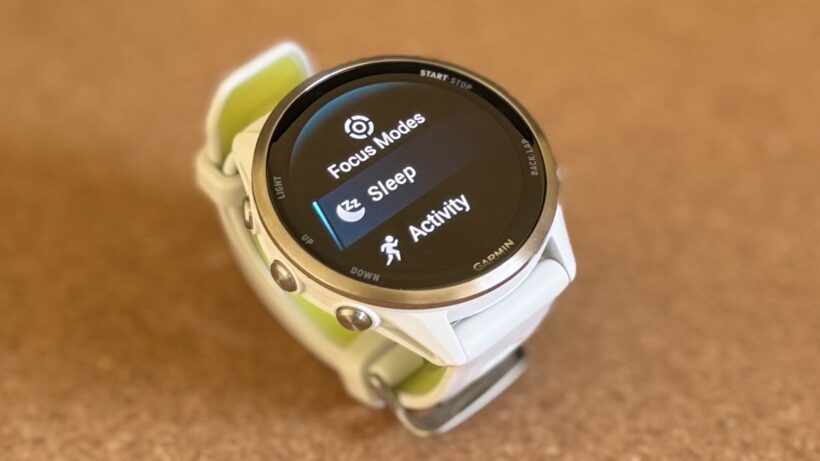
Garmin has quietly addressed one of its most vocal user complaints by reintroducing a dedicated Sleep Focus Mode shortcut to its Forerunner 570 and Forerunner 970 watches.
The change, which arrived as part of the software version 16.28 rollout this month, effectively reverses a controversial UI decision made in late 2025.
For the last few months, owners of the two flagship running watches have been forced to navigate sub-menus just to toggle their screen behavior before bed—a move that Garmin initially defended as part of a broader Focus Mode consolidation. However, it proved ultimately too cumbersome for the brand’s core demographic.
The friction began with update version 15.16, which removed the standalone sleep toggle and integrated it into the general Focus menu as a sub-type. Users argued that managed sleep tracking is one of the most vital daily interactions on a Garmin, and burying it behind three or four button presses felt like a step backward in usability.
Garmin’s customer support channels were reportedly flooded with requests to bring back the old way, and to the company’s credit, they’ve listened. Version 16.28 restores the ability to map Sleep Focus to a customizable button shortcut, bringing back the one-tap function that users had come to rely on.
How to access the Sleep Focus mode
To reinstate the feature, users can head to Main Menu > Watch Settings > System > Shortcuts, where “Sleep Focus” is now listed as a valid destination for long-press or multi-button combos.
It’s a minor technical fix in the grand scheme of things, but it represents a significant win for user feedback. In a market where Garmin is facing increased pressure from the Apple Watch Ultra 3 and top Android watches from Google and Samsung, maintaining a frictionless UX is key to keeping its loyal base.
If you haven’t seen the update pop up yet, you can force the check by navigating to System > Software Update > Check For Updates on the watch itself. Also, head to our explainer on how to force Garmin updates if you’re stuck.