

A rugged hybrid in its best light
The Garmin Instinct Crossover AMOLED is a triumphant, if niche, evolution of the analog-digital hybrid. By swapping the dull monochrome screen for a vibrant AMOLED display and adding a brilliant LED flashlight, Garmin has addressed almost every hardware frustration of the original. The hands are smarter than ever, dancing out of the way of data or acting as compass needles, making this the ultimate choice for those who crave tactile hands but need modern metrics. However, the $649 price tag is a steep climb, and the reduced battery life is a notable trade-off for the Instinct’s usual off-grid mission. If you love the analog aesthetic and don't mind charging more often, this is comfortably the most polished hybrid Garmin has ever built.
Pros
- Vibrant display with dynamic analog hands
- LED flashlight with red light option
- Excellent GPS and heart rate tracking
Cons
- Lacks maps and navigation
- No touchscreen—and fiddly buttons
- Reduced battery life
The Garmin Instinct series has always been the ‘G-Shock’ of the sports watch world—a rugged, button-heavy tool built for people who measure their weekends in elevation gain rather than notifications.
But within that family, the Crossover has always occupied a strange, lonely corner. It’s a Garmin watch for the purist: someone who wants the soul of a classic analog timepiece but the brains of a high-end model. We first saw this experiment a few years ago, with the non-AMOLED model. But while the concept was charming, the execution felt like a compromise between two different eras.
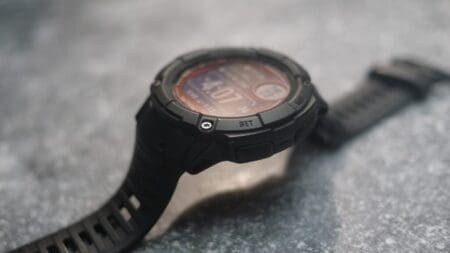
The Instinct Crossover AMOLED changes the conversation by giving that analog-digital blend a much-needed shot of adrenaline. It takes the tactical-chic aesthetic of the Instinct 3 and adds premium sapphire glass, a titanium-reinforced bezel, and a display that finally makes the data under the physical hands easy to read.
At $649, it sits in the mid-range, pitting it against heavyweights like the Suunto Vertical 2 or Garmin’s own Instinct 3 AMOLED. And it’s a device for a very specific type of adventurer—one who wants their tech to look like a watch, but act like a survival tool.
As we took it on a 70-mile thru-hike across the UK, we set out to see if those physical hands are a masterstroke or just a high-priced distraction.
Price and competition
Let’s cut right to the chase here—the upgrades to the Crossover AMOLED do come with a jump in price. Given the additions to this model, it’s no surprise.
This watch launched at $649/£519, which is mid-range for a Garmin watch and roughly $ 250/£250 more than its predecessor, the Garmin Instinct Crossover. A Tactical AMOLED edition is also available for $749/£599.
Compared to the Instinct 3 AMOLED, this watch is about $200/£200 more expensive, which isn’t exactly chump change. Of course, it has analog hands and uses more premium materials—but, other than those details, it’s essentially the same watch, so the price difference essentially all comes down to hardware.
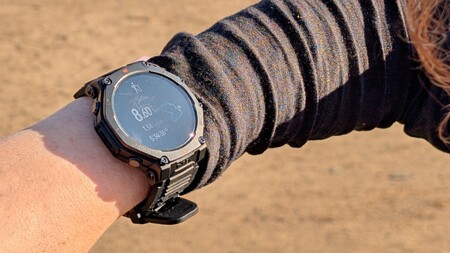
There’s nothing outside of the Garmin ecosystem that truly compares to this watch. However, if you’re not committed to analog hands and are looking for an adventure watch with an LED flashlight and proper maps without paying Fenix 8 prices, it’s worth considering the Suunto Vertical 2 ($599 / £529) or even the Amazfit T-Rex 3 Pro ($279.99 / £249.99).

How we tested
Avid hiker and trail runner Julia Clarke tested this watch out on a five-day thru-hike on one of the UK’s most beautiful long-distance trails. The St Cuthbert’s Way stretches from the Scottish borders through Northumberland National Park and ends with a causeway crossing to reach Holy Island, and walking for up to eight hours a day gave Julia plenty of opportunity to see how this compares against other adventure watches, including the Garmin Fenix 8 and Suunto Vertical 2.
Garmin Instinct Crossover AMOLED key features
- Vibrant AMOLED display
- LED flashlight with red light function
- Sapphire crystal screen with reinforced polymer/stainless steel bezel
- Multi-Band GPS
- Up to 14 days in Smartwatch mode, up to 18 days in Battery Saver mode, up to 18 hours in All Satellite Systems GPS mode
- Analog hands with Revodrive technology for precision
- Button controls
- Size: 46.6 x 46.6 x 15.1 mm
- Weight (with strap): 70g / 2.46oz
- Waterproof up to 100m
- 80+ sports modes including Rucking Mode
Design, display and button navigation
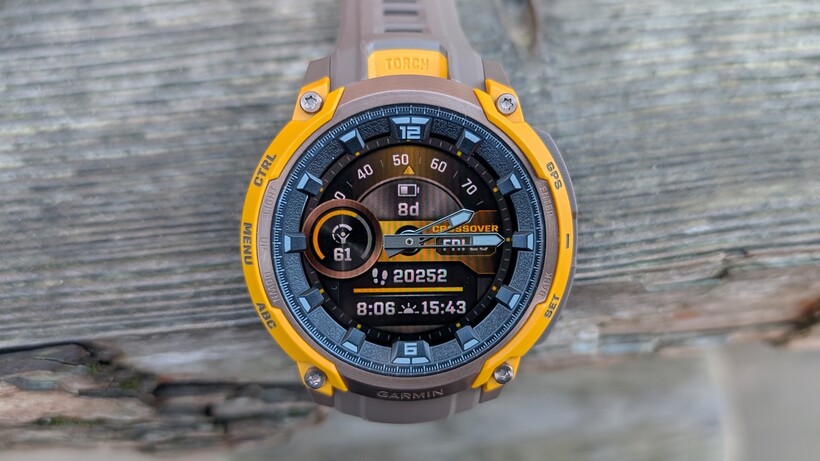
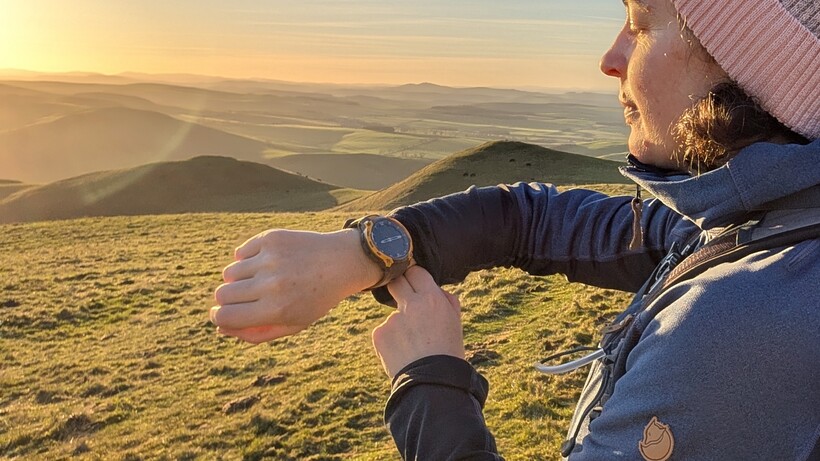
In true Instinct style, this is a chunky, high-profile watch. I decided to test it during a five-day hike in wintery conditions, where I encountered some bitterly cold days, and I was often negotiating up to four layers of clothing on my wrists.
In the end, I rolled up all my sleeves so that only my waterproof jacket sleeve was covering it, and that worked fine, but it was yet another reminder that these watches seem to be tested only in T-shirt conditions.
It might be on the thick side, but it’s not uncomfortable to wear—at least after a day or two of getting used to it. I was even able to sleep with it on, but more on that later.
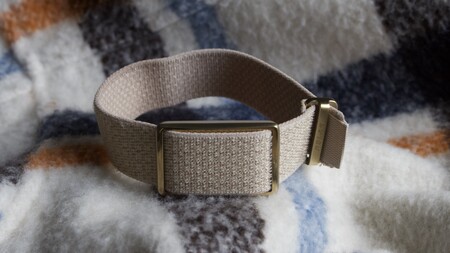
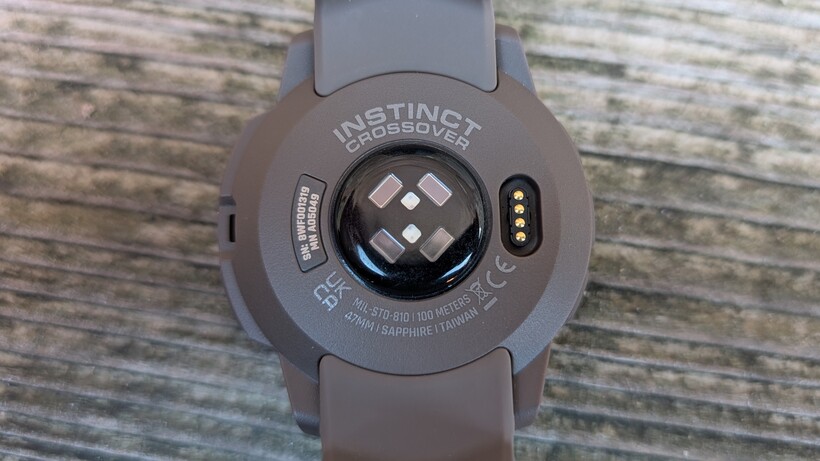
The upgraded materials include a highly scratch-resistant Sapphire screen that’s survived my week in the wilds unscathed, the same reinforced bezel as the Instinct 3, and a silicone strap. Still, it’s only a hair (2g) heavier than the original Crossover, which lacked those touches.
The AMOLED makeover
The big story with this watch is the upgraded watch display, so I’ll start there. Compared to its predecessor, this watch is really easy to read in all lighting conditions. Due to the season, I’ve thoroughly confirmed this at dawn, dusk, and night—as well as in rain and brilliant sunshine.
Garmin has added Red Shift Mode, too, which helps preserve your night vision if you’re using it after dark by switching to shades of red, orange, and green.
I can’t say that I’ve ever thought much about the merits of analog hands on a digital watch, so I’m not exactly the target audience for this watch. Yet, after a few weeks with them, I can conclude that I like having them, though maybe not enough to turn my back on digital watches. It’s fair to wonder here if analog hands are really a good idea on a watch designed to be bumped and bashed around outdoors, but Garmin explained to me that the RevoDrive technology is designed to keep time accurately under rough conditions. All I can say is that I’ve had no problems so far, and that’s with a few fumbles and drops.
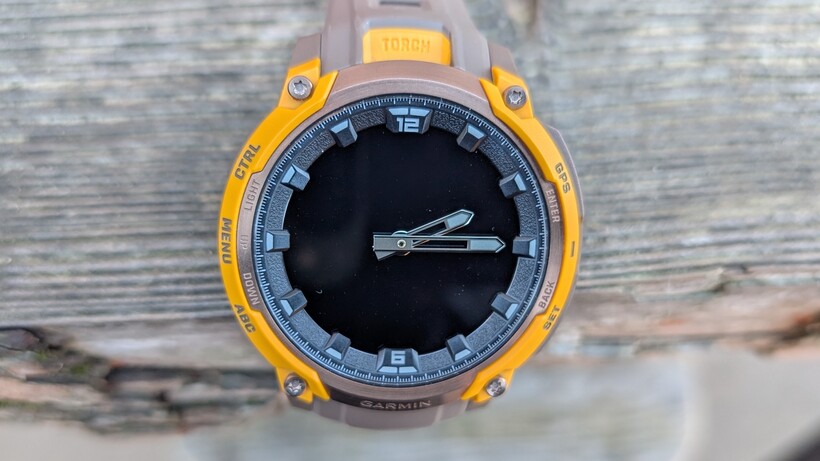
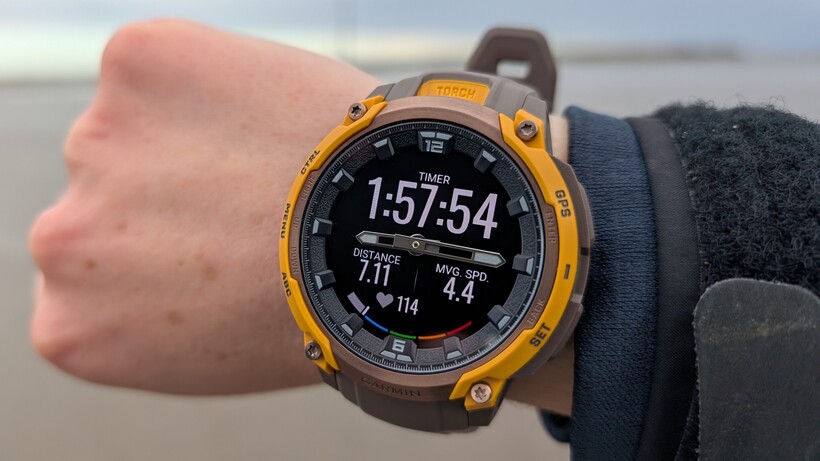
The hands are coated with something Garmin calls ‘Super-LumiNova’, which basically means they’re easy to see all the time, even when the watch face is asleep. This screen is really responsive when I lift my wrist, and, as soon as I press a button to view data, the hands cleverly move out of the way, and then back to tell the time again. Even better, they serve other functions, such as turning the dial on the compass, which I used several times on my adventure.
A fun party trick—but not flawless
It’s all very seamless, but I did encounter one issue. When using the watch in activity mode, the analogue hands permanently move out of the way of the data screen, to nine and three o’clock. This meant that while I was hiking, I could see how far I’d gone and how much time had elapsed, but I still had to scroll down to check the time. With less than eight hours of sunlight each day, I was quite keen to know what time it was so I could check my pace.
I’ve tried searching online for ideas on how to change the settings, but none of the advice has worked so far, and I haven’t heard back from Garmin on this. It occurs to me that if that point of the Crossover is a watch with analog hands, then one of the advantages over other watches should be the ability to see what time it is, no matter what you’re doing. Perhaps this should be the default, and the optional setting could be to move the hands out of the way.
Button navigation around the Crossover AMOLED
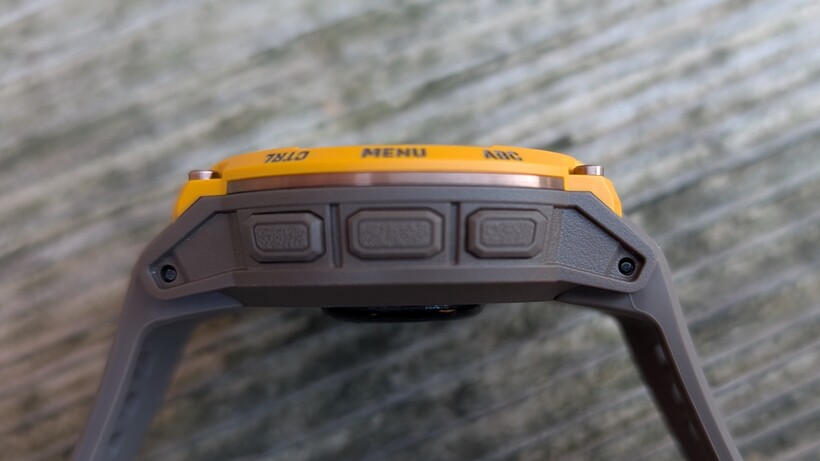
This watch doesn’t have touchscreen capability, which I must say took a little getting used to. It’s operated instead by five buttons, and these are the flat buttons found on other Instinct models rather than the round buttons of the Fenix. I personally find them a bit more fiddly and harder to feel for in the dark.
The buttons are labelled, which I find very helpful, particularly since, over the weeks, I still haven’t quite got my head around the watch’s design. The top-right is the standard ‘Select’ button that takes you into activities, and the bottom-right is a ‘Back’ button. After that, I find myself fumbling around a little. If you press the bottom-left button on the home screen, it briefly moves the analog hands so you can see other data. And if you long-press it, you arrive at a menu that’s mostly timers, alarms, and a stopwatch—all functions I use fairly often.
Learning curve
To scroll down through these options, you use the bottom left button, while the middle left button takes you back up. From the homescreen, the bottom-left corner takes you to menus where you can check the weather and view your Garmin Health snapshot.
And there is some other really handy data here, like how much time is left until sunset and the moon phases, which, as a nature hound, I love having right there on my wrist. Pressing the middle-left button also takes you to this menu.
You long-press the bottom-left to open your compass, and, if you do the same with the middle-left, you get into Settings. Finally, you can long-press the top-left button to open a toolbox where you can power off or toggle Do Not Disturb. Double-click this button, and you’ll turn the flashlight on or off, just like in other Garmin watches with a flashlight.
It all works, but I’ve never quite got my head around it and still find myself having to try multiple buttons before I end up where I want to be.
Battery life and charging
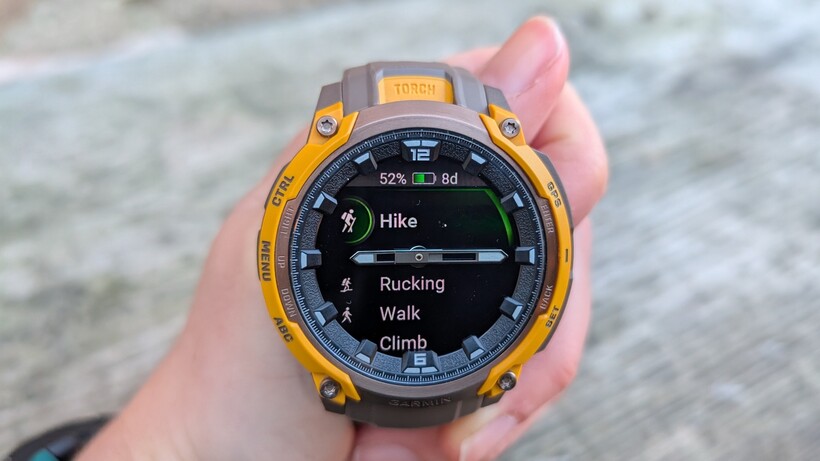
The old story of brighter AMOLED watches meaning faster-draining batteries is slowly changing—Suunto has proven this with the Vertical 2—but, sadly, the Crossover AMOLED isn’t about to challenge this narrative.
The dazzling display on this watch does mean that you’ll have to spend more time charging your watch, or need to carry more battery packs on multi-day day adventures, though the good news is that it does charge quickly.
We’re not talking Apple Watch-level drainage here, but, compared to the Instinct 3 AMOLED, which delivers up to 18 days in ‘Smartwatch’ mode and 25 hours in ‘All Systems’ GPS, the AMOLED Instinct Crossover is down to just 14 days in ‘Smartwatch’ and 18 hours in ‘All Systems’ GPS. Needless to say, this is an even bigger drop compared to the standard Instinct Crossover, which, with its relatively dim screen, kept chugging along for up to 28 days in Smartwatch mode.
It’s by no means the worst battery life out there, and if your outdoor adventures look like hitting the trail for an hour or two a couple of times a week, you’ll be quite happy with its performance. Still, I can’t help but feel that this is slightly at odds with a watch built for rugged outdoor pursuits that, by nature, take you away from electrical power points, often for long periods.
What we found during real-world battery life tests
I tested this watch on a few daytime hikes in the Lake District during the Kendal Mountain Festival just to get the hang of it, but I paid closer attention to the battery life when I wore it on a 70-mile hike across the country. This would see me on the trail for five to eight hours each day, and I really didn’t want it to die on me.
I made sure to charge it up fully the night before setting off. In true Garmin fashion, it displays how many days of use you have left on the home screen, but when you want to start an activity, you can see the battery level as a percentage, which I find more useful.
I used it in the default ‘All Systems’ GPS mode. And the morning after my first day on the trail, which consisted of seven hours of hiking, the battery was already down to 53%. I decided to see if I could get through another day, and after eight more hours of walking on day two, it was at 11%.
I charged it back up that evening, and the next day it had lost about 4% overnight. A six-hour day on the trail used up about 26% of my battery life, which, by my estimate, means it uses about 4-5% per hour in GPS mode.
On my fifth and final day of hiking, I had 25% battery left and decided to charge it one more time just to be safe. However, in retrospect, I only hiked for four hours that day, so I think I could have gotten away with it. Starting from a full charge, over the course of five days, I had it in GPS mode for 31 hours and charged it twice.
Good enough for most adventurers
Because this watch doesn’t have maps, I decided to wear my Suunto Vertical 2 on my left wrist for navigation, and this also gave me a good battery comparison. The Suunto, which also has a vivid color display, never needed charging, and still had roughly 50% battery life at the end of the five days.
For a long-distance adventure like this, the Instinct Crossover AMOLED wouldn’t be my first choice—but I’m also aware that not everyone’s adventures last all day or exist in a multi-day format. So, if that’s you, the battery life on here is definitely good enough.
Adventure and navigation features
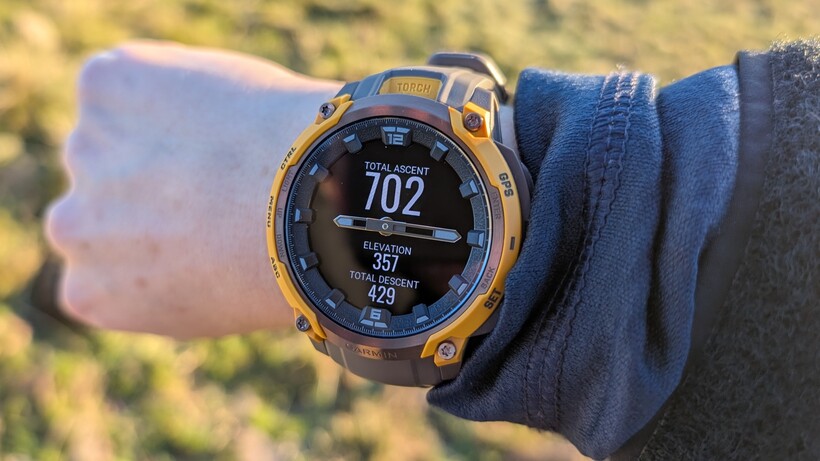
Ever since the Garmin Fenix 7 introduced an LED flashlight in 2022, I haven’t stopped going on about how this is the one feature I want every adventure watch to have. I know I’m starting to sound like a broken record, but it’s one of those “once you’ve tried it, there’s no going back” features, and it’s a very welcome upgrade to the Instinct Crossover.
You can easily turn the flashlight on by double-clicking the top-left button, then dim it or switch to red light mode using the Up and Down buttons. I’ll admit, I’ve mostly used this for indoor situations, such as creeping around a hostel to find the bathroom in the middle of the night or getting ready for a 6:30 a.m. yoga class without annoying my boyfriend.
That said, I did have two days on my long-distance adventure when the sun set before I reached my day’s resting point, so I got to test it in outdoor conditions, and it really is very bright.
In its brightest mode, it provides more than enough illumination to safely navigate the trail and would be a great backup if you forget your headlamp or run out of battery. Of course, using it does drain the watch battery, though, so I’d always recommend relying on a headlamp first.
A top-tier tracker, but not a navigator
This watch doesn’t have color maps, and I’m not sure such a feature would work with analog hands (but perhaps they could become your pointers, so feel free to prove me wrong here, Garmin).
As a result, I used it more for tracking than navigation, but the addition of Multi-Band GPS is a big boost for this model. I tested it against both the Fenix 8 and Suunto Vertical 2 and found the tracking—on all fronts—to be really quite pristine.
On long days when I was walking up to 19 miles and in fairly remote, dark-sky areas, it never failed to quickly lock in on my location, even when I was effectively crossing the sea for 2.5 miles at low tide.
Training and health features
The Crossover AMOLED has more than 80 workout modes, and, personally, the one I’m most excited about is Rucking.
This is something I’ve long been calling for as standard in adventure watches, since there’s a big difference in energy expenditure and recovery between hiking with a light daypack and carrying a heavy load. I’ve mostly used this watch for hiking and trail running, but if you’re a triathlete, it has Multisport Auto Transition, which is super handy.
The Garmin Elevate heart rate sensor is the same as in other Instincts (and models like the Enduro and Fenix), and it works brilliantly, generally beat-for-beat in sync with other premium watches.
What’s probably most significant is that this watch has all the same new training and health features as the Instinct 3 such as Training Load Focus, Sleep Coach, Nap Detection and Muscle Map. I really like the addition of Training Load Focus, which I can view in the Garmin Connect app and identify where I might be missing certain types of training.
After five days of hiking followed by three days of active recovery (yoga for me), it was advised that I was short on High Aerobic workouts, which is probably a good shout and a reminder that up next needs to be an interval session.
The default watch face shows Body Battery, which, if you don’t already know, is Garmin’s assessment of your energy levels based on heart rate, stress, and activity. I wanted the most accurate readings and predictions, so I wore the watch 24 hours a day during my long-distance hike, and I found the sleep tracking spot-on and Body Battery in line with how I felt.
Smartwatch features
The Instinct family appeals to those who prefer exploring off the beaten path, offering smartwatch features that are more focused and straightforward than devices like the Garmin Venu 4. And frankly, that’s what I’m looking for in a watch.
My Android phone actively syncs with my calendar to remind me of important tasks, and Garmin Pay is there automatically. While I’m hiking, I’m happy to keep my phone in flight mode and just enjoy the world around me, but when I turn it back on, I can easily view text messages and incoming calls on my wrist.
Each day starts with a cheerful morning report tailored to your needs, but the default setting gives me the weather report, summarizes my sleep, and offers recommendations for the day based on my sleep and Body Battery.
You cannot load music onto this watch, something I think of as more of a gym or city jogging perk, but you can control music on your phone if that floats your boat.