

Incredible battery life meets smart compromises
The Coros Nomad is a fantastic mid-range adventure watch that nails the essentials. It delivers enviable battery life, robust GPS, and solid offline mapping in a durable, lightweight build. It offers the odd fun addition—like the Adventure Journal—and Coros has generally made sensible trade-offs to meet this price point. The lack of an AMOLED screen and a flashlight are noticeable, but it remains a reliable, long-lasting companion for the trail.
Pros
- Excellent, long-lasting battery life
- Offline color maps at a competitive price
- Accurate dual-frequency GPS
- Durable, lightweight, and comfortable build
Cons
- No built-in LED flashlight
- MIP display isn't as vibrant as AMOLED
- Lacks on-device route recalculation
- Safety features require a cellular connection
The Coros Nomad is somewhat of a departure from the brand. It’s the first of its sports watches in years that doesn’t fall within the Pace, Apex, or Vertix series.
In those series, the Vertix has traditionally been the adventure watch, known for its rugged build, superior water and temperature-resistance, and incredible battery life. However, this watch is probably a better comparison to the brand’s Pace Pro.
That was the first Coros watch to feature a bright AMOLED display, whereas the Nomad sticks with a tried-and-tested Memory In Pixel (MIP) panel. Despite that, it still looks and feels like a slightly improved version at the same price.
Like the Pace Pro, it has offline mapping, but it offers better battery life and build quality, an Adventure Journal that lets you log photos, record voice notes, and drop pins along your route, and a variety of fishing-specific tools, such as tide data and the ability to log your catches.
There’s almost no question, then, that it’s a better buy than the Pace Pro at the same price, and a more affordable alternative to anything in the Vertix family—but is it a true adventure watch?
Price and competition
The Coros Nomad is available at $349 / £319, which is mid-range for Coros and almost exactly on par with the Pace Pro. Aside from the lack of an AMOLED screen, it’s a clear improvement over that watch.
It’s not quite as cheap as other watches in the Pace series, but considerably more affordable than the $699 / £599 Coros Vertix 2, which has, until now, been the brand’s dedicated adventure watch.
A lot of tech junkies have been comparing the Nomad to the Garmin Instinct 3 because of their similar build—nearly identical to earlier Instinct models—and because they’re in the same price range.
The larger 45mm Instinct 3 costs $399 / £389, while a smaller version is available for $299 / £259. However, at these prices, the Garmin watch doesn’t include offline color maps.
Design and display
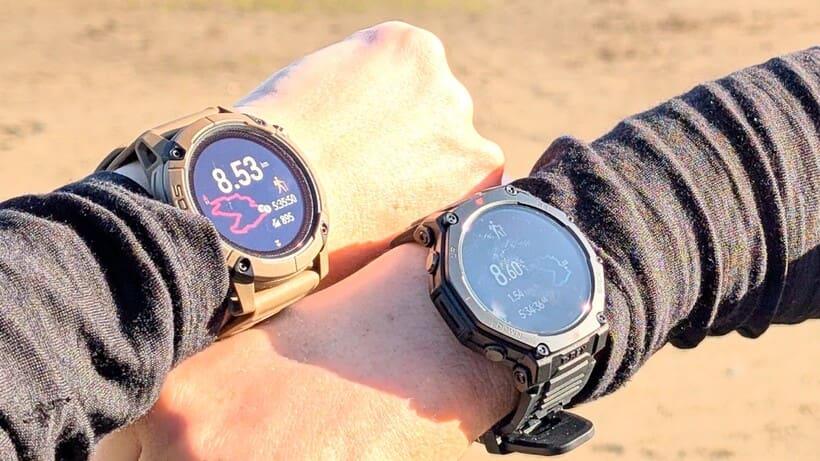
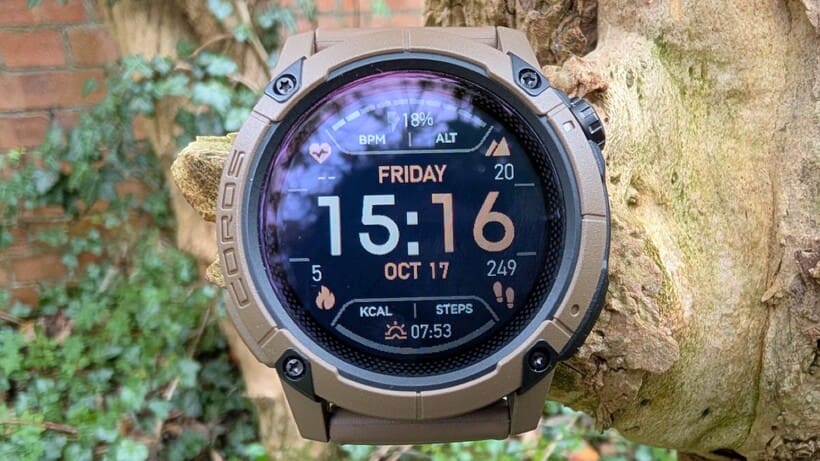
If you’re familiar with Coros watches, the Nomad’s design isn’t a major departure at first glance, but subtle updates enhance its build quality. The tougher, hardened mineral glass screen and aluminum alloy bezel are more durable and appear more premium than those in the Pace series. My unit has endured several knocks, scrapes, and drops over the past few weeks without issue.
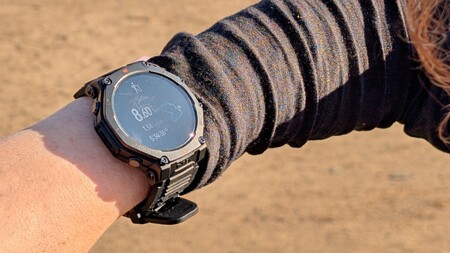
There is only one size available, and it’s large, which, on the face of it, isn’t great news for those of us with smaller wrists. That said, I was pleasantly surprised by how comfortable this watch is, especially compared to the Pace Pro and other larger models I’ve tested, like the Amazfit T-Rex 3 (with the T-Rex 3 Pro shown above).
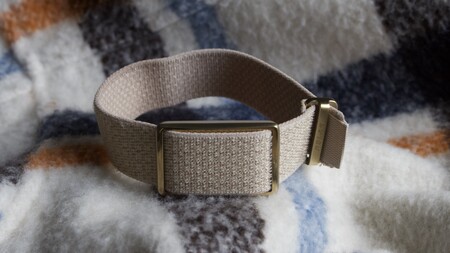
This is partly due to a new and improved silicone strap design that’s comfortable against the skin and easy to secure properly, thanks to a handy pin I’ve seen before on the Suunto Run and Race series. Even though it’s heavier than the Pace Pro, it’s still a relatively light watch for its size, especially compared to brutes like the T-Rex 3. That means I’m happier wearing it for sleeping, swimming, and yoga than I usually would be.
Keeping things functional
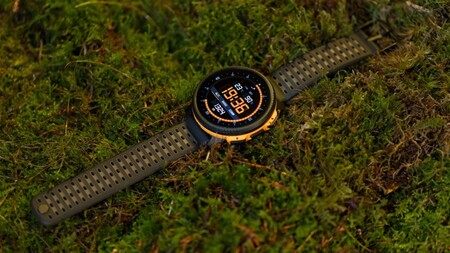
The new MIP display isn’t as vibrant as an AMOLED screen, but it’s a noticeable upgrade from older MIP displays on watches like the Pace 3. It’s generally sharper and easier to read, and, although it appears dark, I’ve had no trouble viewing it in bright sunlight, while wearing sunglasses, or in the rain.
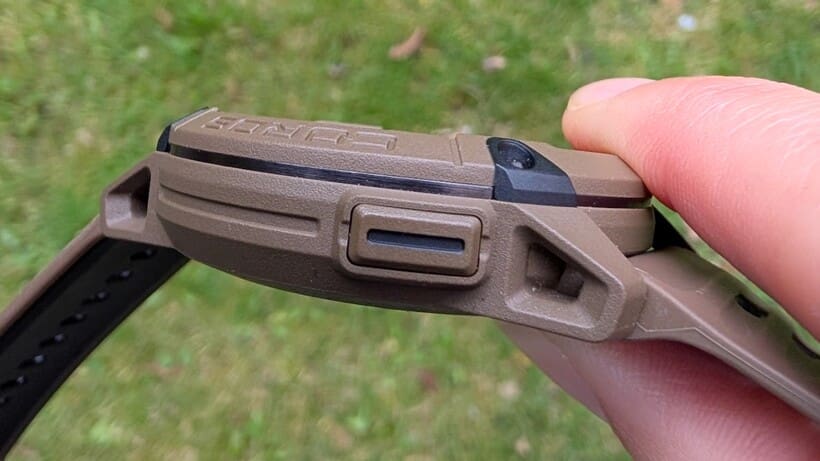
The controls include two buttons on the right, similar to those on the Pace series. There’s a digital crown that scrolls, selects, and functions as the start/stop button for activities. Additionally, a back/lap button allows you to access the toolbox when long-pressed. In the toolbox, you can find features like the map, compass, alarm, and watch settings.
The main difference with the Nomad is the new Action button on the lower left, which lights up your screen during daily use and switches between data fields and the map when you’re on the trail. I’ve found myself using this feature frequently on recent hikes and prefer it over scrolling down to locate the map or up to check the time.
Adventure and training features
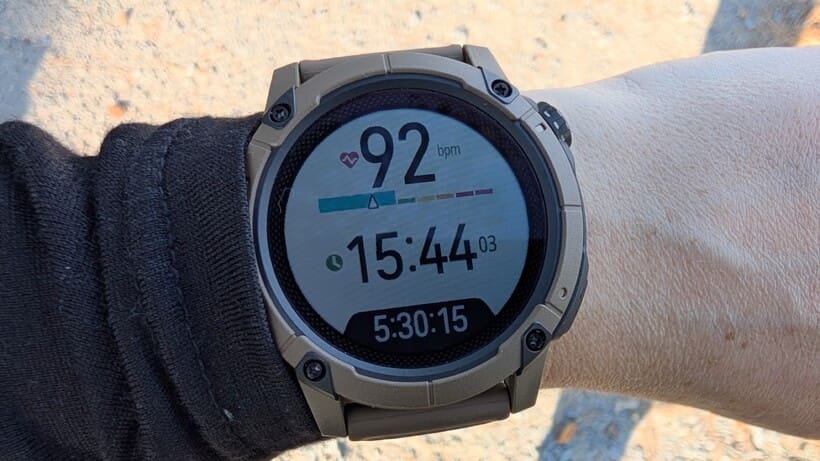
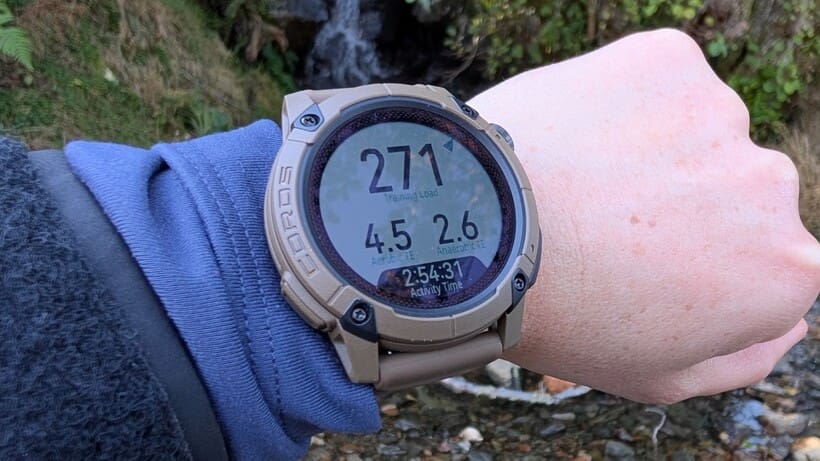
Since the Nomad has all the same training features as the Pace Pro and other Coros watches, including all the same sensors, training plans, and metrics, I’ll just say that this watch provides all the data most people could ever want and now expect from a watch—effort pace, training load, recovery, VO2 max, etc.—in a fairly easy-to-understand format.
As a hiker and trail runner, I find the training tools to be more focused on road runners and those with aspirations to run a marathon, and this is probably true of every sports watch made so far. It would be interesting to see someone develop a watch focused on training and recovery for those of us who want to walk or hike long distances but not necessarily compete.
A gamut of tracking modes
As for what’s new and notable, there are a few new features that could be particularly appealing if you’re interested in fishing, hiking, or trail running, and are looking for more than what a basic gym or training watch offers.
I’ll be upfront here and admit that I do not go fishing. But, if you love nothing more than getting out in your waders, there’s a lot to get excited about. The app offers seven fishing modes: boat, inshore, offshore, kayak, boat fly, shore, and shore fly.
In any of these modes, you can record your catches and place pins to mark submerged logs, docks, and weedbeds. This helps you keep track of promising spots to revisit, along with relevant environmental details.
To monitor conditions in a specific area, you can add up to five ‘environments’ to your watch using the app. I’ve set this up for a couple of mountains I’ve hiked. Once added, just scroll down on your watch to see the weather, tide levels, and moon phases for those saved locations.
The only drawback is that this handy function only works when you’re connected to a cellular network or the internet, so when I was at a remote mountain hut in Wales, I wasn’t able to view the weather. I can see this being a safety issue if you’re camping in a remote area and trying to decide whether to make a summit push.
One of the Nomad’s best features
Although I haven’t used many of the fishing features due to my lack of line and hook, I have got my teeth into the Adventure Journal. I’ll admit I was a little skeptical about this at first, but I’ve warmed up to it.
When you’re on a hike or trail run, you can open the app on your phone and add a photo or video (either taken with your camera or via the app), drop a pin to save a location, or record a voice note. When you finish your route, you’ll be able to see an overview (with 3D flyover) of your journey, complete with images or notes, and share it with others if you want.
I found it all fairly straightforward to use. Adding an image is as simple as opening the activity and tapping the camera icon, while adding a pin or voice requires long-pressing the back button on the watch itself and then finding pins in the menu.
The first time, I just recorded myself saying “testing” a few times, because, honestly, I didn’t know what else to say. When I got home, I could hear my recording (the sound quality isn’t great, but clear enough) and could even view an accurate transcript. And that’s when I realized this could actually be useful.
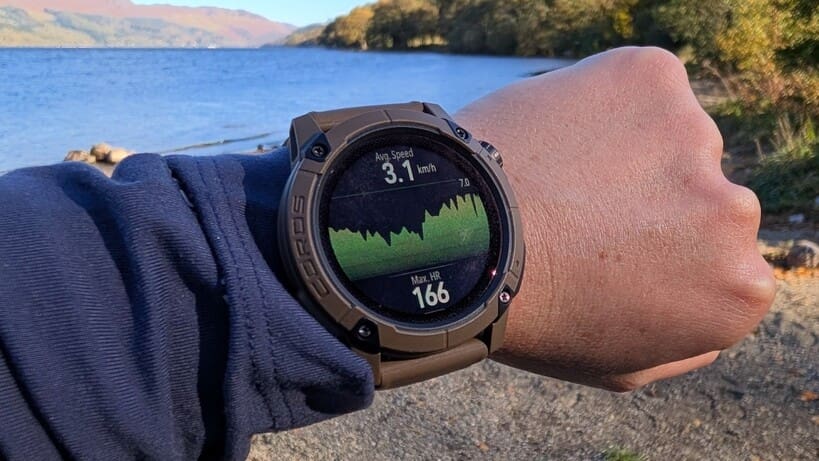
As an outdoors journalist, I often walk in the wild and record on my phone rather than scribble, so this would be a good way to take notes without pulling my phone out on the trail. That appeals to me—especially as I’d have a transcript at the end. But if you’re not a journalist or a keen journal-keeper, I’m not totally convinced you’d use this feature. And does it really justify adding a microphone that serves no other purpose?
Safety first?
One feature I couldn’t test but is worth noting is the safety alerts. Any adventure watch should include these, and I believe dedicated satellite devices will soon become obsolete as this technology integrates into wrist-worn devices.
The Nomad has the ability to share your location with friends and family and even send an alert if you’re in trouble. Unfortunately, this feature isn’t available to UK users right now, so I couldn’t test it. However, after some quick research, it looks like you can press and hold the crown button to send an SOS message.
While that sounds very useful, it also appears that you need a cellular connection to send the message, which essentially means carrying a Garmin InReach or another satellite device when you go off-grid.
Navigation features
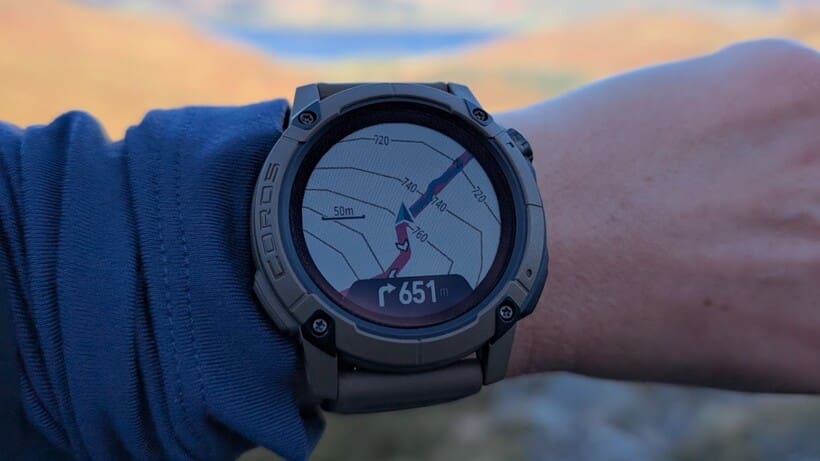
The inclusion of offline color topo maps is a great perk of the Nomad, especially given its price point, and they are solid.
To get maps on the watch, you need to open the Coros app when you’re on Wi-Fi and go to the Map Manager to select the area you want to download – it’s similar to Suunto’s method, but you can’t seem to download entire countries. Instead, it splits the country into squares, and you can tap on the areas you want, which then download in a few minutes.
The case for automatic re-routing
For my first test, I decided to create my own route on a familiar hill where I knew I wouldn’t run into any trouble if the maps were off. This was straightforward to do in the app, then send to my watch. When I arrived at the trailhead, I was pleased to see that the map pulled up instantly and my route followed a well-established path and didn’t take me into craggy terrain. However, a slight curveball was tossed my way as my planned descent was closed for route maintenance.
There are lots of other ways down this particular hill, so I decided to use the maps on my watch and find a new way down. Everything worked well, with the only small annoyance being the constant reminders that I was off route. Here’s where I think Coros is missing a trick: for a true adventure watch, you want the automatic re-routing that you’ll already find on Garmin and Amazfit watches.
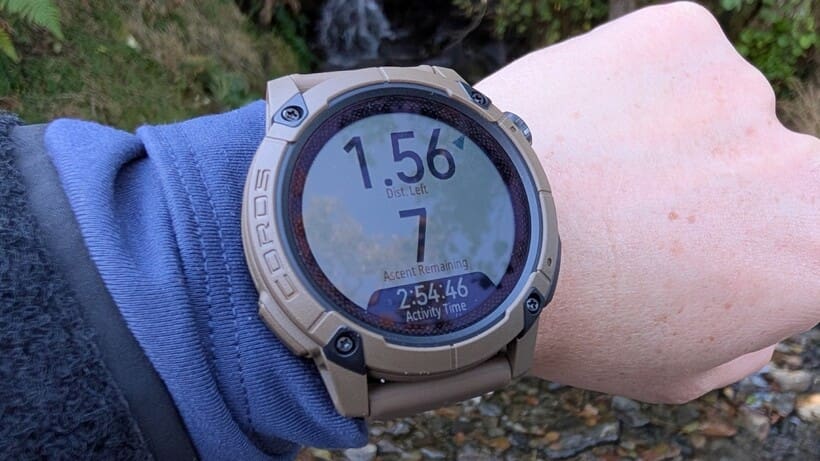
Since that hike, I’ve downloaded a few GPX files and sent them to the watch to follow (this is a bit more fiddly than with a Garmin if you’re using a third-party app like AllTrails, but it all works). They’ve all loaded quickly and given me plenty of navigational details, such as distance and remaining ascent.
Handy features with curious placement
I’ve also gone into areas that I know reasonably well without too much of a plan and used the watch to navigate on the fly. There’s definitely enough detail and accuracy to do that, if you like to go off piste like I do.
That said, I’m a bit stumped as to why Coros has buried the Back to Start function in a hard-to-find folder.
I really like this feature for areas like a big, rambling country park (where I sometimes go to run) that has a very unintuitive trail system and no signage. With Back to Start, I can go out and run there without a plan until I’m ready to turn back, then use my watch to retrace my steps.
I’d expect to find this option by pausing my activity and just scrolling down. Yet, for some reason, I need to long-press the bottom-right button and navigate to a separate navigation folder in the toolbox.
One other area that I think is a little misguided is that Coros has added more detail to its maps than in the Pace Pro—but only in urban areas. I’m not much of a road runner, but I did leave my phone at home and head out on a city run to test the maps. The detail is great, but I’m not sure why it’s necessary since this is a watch built for the backcountry, not pounding pavement.
GPS and heart rate accuracy
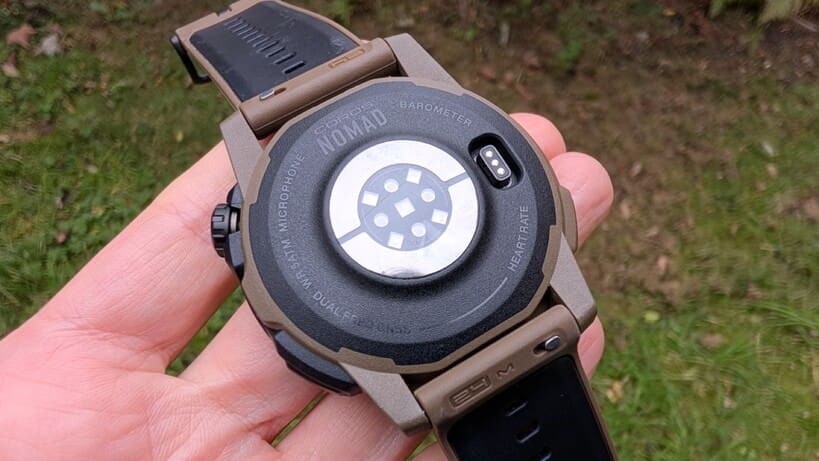
To test the accuracy of the GPS and heart rate monitor, I wore the Nomad on my left wrist and tested it against the Pace Pro, Pace 3, Garmin Fenix 8, and Amazfit T-Rex 3 Pro.
For both hiking and trail running, I found the Nomad’s heart rate readings were within 2-3 beats of any other watches when outdoors. This was reassuring, because it uses the same heart rate monitor as the Pace Pro, which I previously found a little unpredictable. I suspected the inaccuracy was due to a poor-fitting strap, and I think this confirms my suspicions.
I also wore the Nomad for several nights of sleep testing. This isn’t something I’d usually do with a watch this big—especially since I’ve established that my HRV is high and I have a pretty good feel for how I’ve slept—but I felt the Nomad captured these nights accurately.
I’m not training for a big event. However, I generally do a lot of outdoor activity, and I think this watch provides accurate recovery data for someone preparing for a race.
Elsewhere, the Nomad’s heart rate monitor can help you detect atrial fibrillation, which could be life-saving for some users. It’s not something I’m personally monitoring, but I think it’s worth noting that this watch has the capability, which places it above watches like the Instinct 3.
Accurate enough to plot your adventures
As an adventure watch, GPS accuracy seems more pertinent than heart rate data, and it is as accurate as any other sports watch I’ve tested. Whether I’ve been testing it out on familiar routes or navigating new ones, it pings when I’ve only strayed a few feet and gives me a really accurate overview of my route after the fact as well.
The most significant difference I saw between an opposing watch was on a particularly rural route in north Wales, where it showed a 0.3-mile difference compared with the Amazfit T-Rex 3. Since that particular hike involved a couple of wild swims, I’m not surprised there was a bit of a discrepancy. So, all in, an excellent GPS performance that comes recommended.
Smartwatch features
If you’re not familiar with Coros watches, they’re generally limited on smartwatch features—and the Nomad is no exception to that. Don’t be fooled by the Adventure Journal features; you won’t be able to take or make calls or send texts from this watch.
You can get an alert when a call is incoming and preview messages, but that’s about it for smartwatch functionality. I want to spend more time on the trail and less time plugged in, so I think this is an excellent advantage of Coros watches.
So, if you want to communicate with a delivery person trying to drop a package at your front door on your watch while skiing in Chamonix, this isn’t the watch for you.
Middling music streaming
It does have music playback for previously downloaded music, but not via a streaming service like Spotify. I’m personally not into trail running with music, so this isn’t a feature I use, but it essentially requires dragging and dropping MP3s from your computer to your watch. Considering the competition, this process feels stunningly antiquated in 2025.
However, if you still have music files on your computer and want to listen to tunes on your adventures, you can control the playback on your wrist while wearing Bluetooth headphones, which could mean you could leave your phone at home.
This being an adventure watch, I can’t help but think it’s a good idea to bring your phone with you for safety, but I suppose that means you can turn it off to save battery.
Battery life and charging
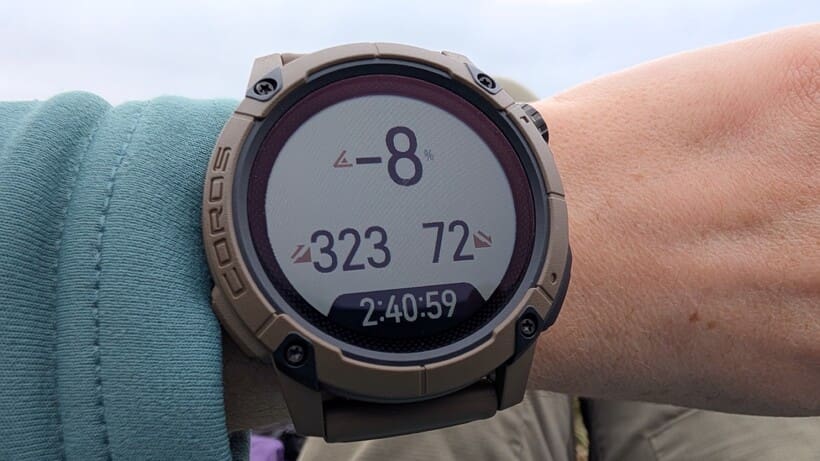
A GPS watch that you have to charge daily is a pain. So, for outdoor enthusiasts, battery life becomes crucial—particularly for those longer backpacking trips and other multi-day adventures.
Coros has this part mostly right: like all its watches, the Nomad has excellent battery life compared to most other brands or models, and usually reaches full charge within an hour.
The claimed battery life is up to 50 hours in the ‘All Systems’ GPS mode, 34 hours in dual-frequency, and 22 days in regular use. This should mean most hikers, fishing enthusiasts, and ultra runners can go a long way (or catch a lot of fish) on a single charge.
This is partly due to the lack of an AMOLED screen, which means the Nomad simply doesn’t use as much juice as those with bright screens. It’s a notable improvement over the Pace Pro, which was actually a little disappointing (even if it doesn’t have the longevity of the Vertix).
You can feel really confident wearing this watch for up to five days on the trail without carrying a battery pack. But it doesn’t yet have solar charging capability. This does seem like an omission, since it would be a fair assumption that at least some people looking at this watch plan to spend long days outdoors, where the sun could keep their watch topped up.
Coros Nomad battery life estimates
- Daily use: 22 days
- All Systems mode: 50 hours
- Dual Frequency + All Systems: 34 hours
- All Systems with offline music playback: 15 hours
Coros Nomad battery life real-world testing
After 18 days of using this in GPS mode over six hikes and four trail runs, I still have an impressive 18% battery life left. On average, 2 hours of hiking in GPS mode burned about 4% of the Nomad’s battery life, and it only lost about 1% overnight, leaving me confident that I can get 50 hours out of a single charge, as advertised.
I’d feel comfortable taking this out on a five-day thru-hike without worrying about carrying extra charging cables. I think anyone who just enjoys regular hiking and trail running would be pretty pleased with the battery life—especially if you’re used to something fast-burning like an Apple Watch. With regular use, you may find you only need to charge this watch once or twice a month.
Also consider: Coros Nomad alternatives
If you like what Coros has to offer but want something with an even bigger battery life and better water resistance, the Coros Vertix 2 is truly the brand’s highest-end adventure watch so far. It also still comes in well below watches like the Garmin Fenix 8 and Enduro 3.
If you want a long battery life and a flashlight, the rugged Garmin Instinct 3 definitely checks a lot of boxes at a similar price point. Yet, it lacks the maps that really make this watch a great buy.
Want a watch with an AMOLED screen, offline maps, and a flashlight? You’re probably looking at the Amazfit T-Rex 3 Pro, which has full smartwatch functionality and comes in at a really good price. However, you’ll need to be willing to put up with a bit more weight and bulk (unless you opt for the recently released 44mm version of the non-Pro model).
If you’re not too worried about a flashlight but want an AMOLED screen at the same price point, check out the Suunto Race. This offers beautiful maps and good battery life.