

Clever updates help Google retain its Android smartwatch crown
The Google Pixel Watch 4 is an intelligent refinement of an already winning formula. It addresses key weaknesses with faster charging, improved repairability, and the addition dual-frequency GPS, while doubling down on its strengths with a stunning new display and a genuinely useful AI infusion with Gemini. While battery life hasn't improved much over its predecessor, and the elegant design lacks a rugged alternative in Google's lineup, this is the most polished watch yet from the brand. As a result, it remains the best smartwatch for most people in the Android ecosystem.
Pros
- Stunning, improved domed display
- Faster, more convenient charging
- Fun software with genuinely useful AI
Cons
- Similar battery life to Pixel Watch 3 (45mm)
- More repairable, but still easy to damage
The journey of the Google Pixel Watch has been one of methodical, iterative refinement.
The first-generation smartwatch was a beautiful proof of concept hampered by first-generation flaws, such as a stainless steel build that was too heavy for exercise and subpar battery life. The second was a necessary course correction, fixing the most glaring issues with a lighter case.
The third, with the crucial addition of a larger 45mm case, finally delivered on the initial promise, solving the battery life puzzle and becoming Wareable’s top-ranked Android smartwatch.
With the Pixel Watch 4, Google is no longer fixing major problems; it’s perfecting a mature and confident smartwatch.
Unveiled earlier this summer ahead of an October 9th launch, the fourth generation isn’t a radical reinvention. Instead, Google has focused on addressing the few remaining weaknesses and doubling down on its considerable strengths.
The result is a device that introduces faster charging, a stunning new display, the arrival of dual-frequency GPS, and the debut integration of its Gemini AI platform.
This is Google hitting its stride, producing an all-around smartwatch that feels polished, powerful, and a delight to use. Even with Samsung and OnePlus providing considerable competition, Google’s lone smartwatch offering does enough to hold onto its crown.
Price and competition
The Google Pixel Watch 4 sits firmly in the mid-range of the premium smartwatch category, with pricing consistent with its predecessor.
Given that it’s only compatible with Android smartphones, its most obvious direct competitor is the Samsung Galaxy Watch 8—a smartwatch we rated 4 stars out of 5 earlier this year.
With no other versions in Google’s lineup, you’ll have to explore elsewhere for something more premium or rugged (like the Samsung Galaxy Watch 8 Classic or Galaxy Watch Ultra). And with precious few ‘cheap’ options, we still recommend the aging Xiaomi Watch 2 and previous generations of Samsung and Google’s wares for those on more of a budget.
Instead, the Pixel Watch’s value lies in being the purest expression of Wear OS for those within the Google ecosystem. While the company doesn’t offer variety in its own smartwatches, it does leverage its unique software advantages and, crucially, its deep and exclusive integration with the Fitbit platform to justify its position as the default choice for Android users.
Design and display
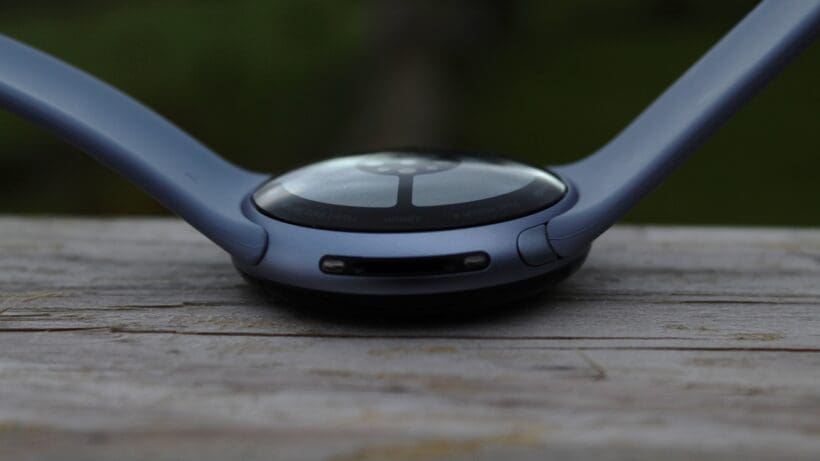
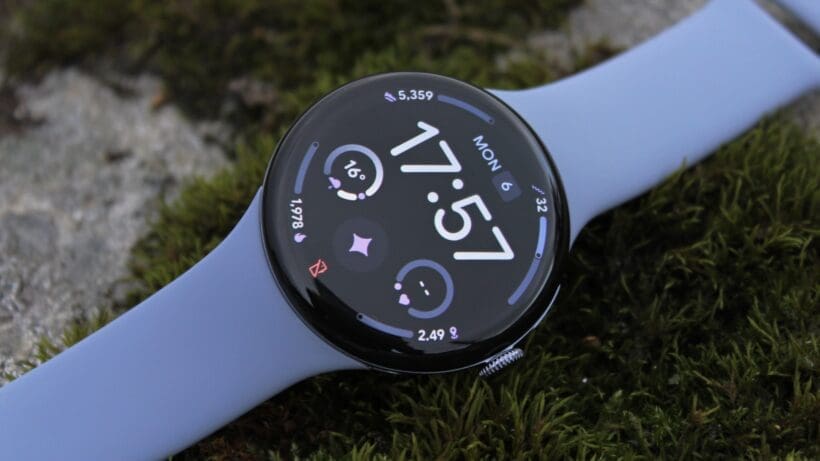
At a glance, the Pixel Watch 4 is instantly familiar. Google has wisely retained the signature minimalist, domed pebble design that has set it apart since its inception, available in the same 41mm and 45mm case sizes.
The aerospace-grade aluminum casing is both lightweight and premium, and the control scheme remains unchanged, featuring a beautifully tactile rotating crown for scrolling and a discrete side button positioned above it.
Some minor pain points also remain, such as the proprietary band mechanism. Still a bit fiddly and unintuitive, it does, at least, ensure compatibility with previous generations of straps.
Yet, though the core silhouette is the same, the experience of looking at and interacting with the watch has been completely transformed.
An all-round update
This is thanks to the new ‘Actua 360’ domed display, which dramatically reduces the bezel size by 15%. This isn’t just a minor tweak; it creates a nearly edgeless effect that makes the screen feel significantly larger and more immersive, finally realizing the full potential of the original design vision.
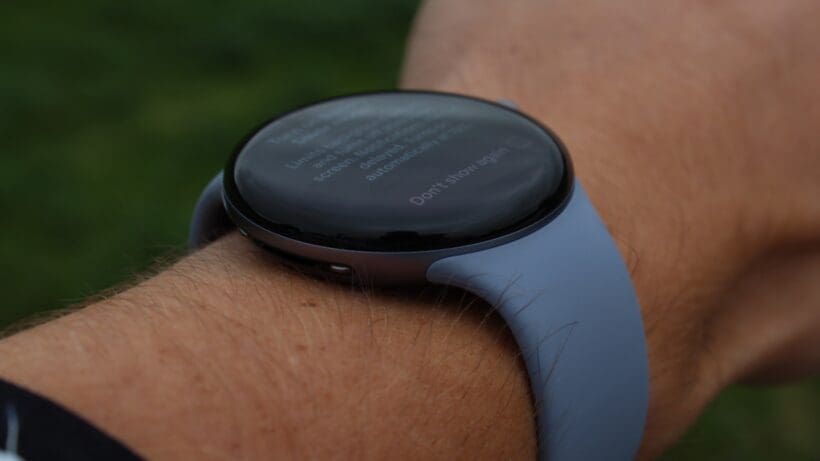
The display itself has been upgraded to a peak brightness of 3,000 nits, putting it on par with the very best on the market and making it effortlessly readable in any lighting condition.
The visual upgrade is the most noticeable improvement over the Pixel Watch 3, serving as a perfect showcase for the new Wear OS interface.
However, the design’s greatest strength is also its main weakness. The elegant, polished look is not built for rugged use. Much like its predecessors, the exposed, curved glass feels vulnerable. While I haven’t experienced any damage in the last week or so of testing the Pixel Watch 4, my experience with previous Google watches suggests that minor scratches are still likely to appear after months of gym sessions and daily wear and tear.
Ultimately, the Pixel Watch remains a device that requires a certain level of care and attention. In a welcome move, Google has acknowledged this by making the watch more serviceable, with display and battery parts now replaceable. The compromise here is that the charging pins are now tucked in alongside the speaker, as shown in the images above. As I’ll explore more below, it’s a worthy trade-off (even if you discount the repairability it unlocks).
Smart features, Gemini, and Wear OS
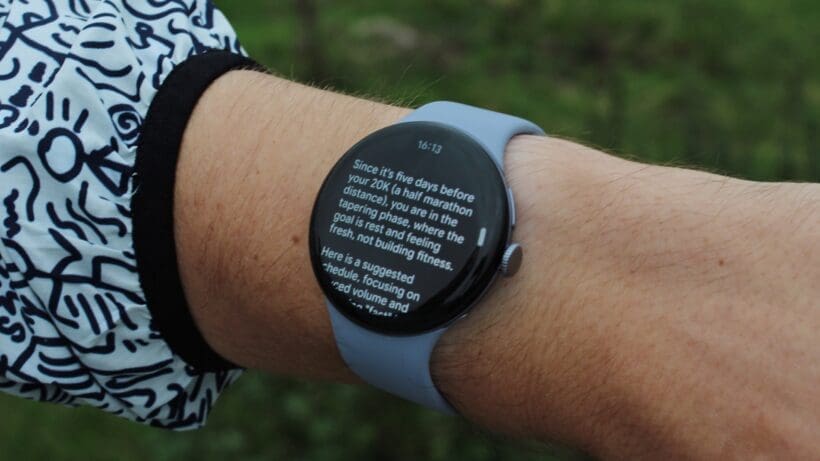
If the display is the visual centerpiece, the software experience is the soul of the Pixel Watch 4. This is where Google’s refinement philosophy truly shines.
The introduction of Gemini, replacing Google Assistant, is a significant step forward. It’s faster, more contextually aware, and far more capable, particularly with generative tasks like creating a recipe or a workout plan for the week on the fly (as shown above).
The hardware has been engineered to support this, with a new custom speaker tuned for Gemini’s voice and a 15% stronger haptics engine that makes every tap and scroll feel crisp and premium.
A fun, refined, and integrated Wear OS
This is all brought to life by Material 3 Expressive, the latest iteration of Google’s design language. Where older versions of Wear OS aimed for clean uniformity, this new version is interactive, playful, and delightful.
From responsive wiggles when you enter your passcode to the fluid animations in the app grid, the entire experience feels cohesive and polished. It’s Wear OS at its peak, creating a software environment that is both powerful and genuinely enjoyable to use.
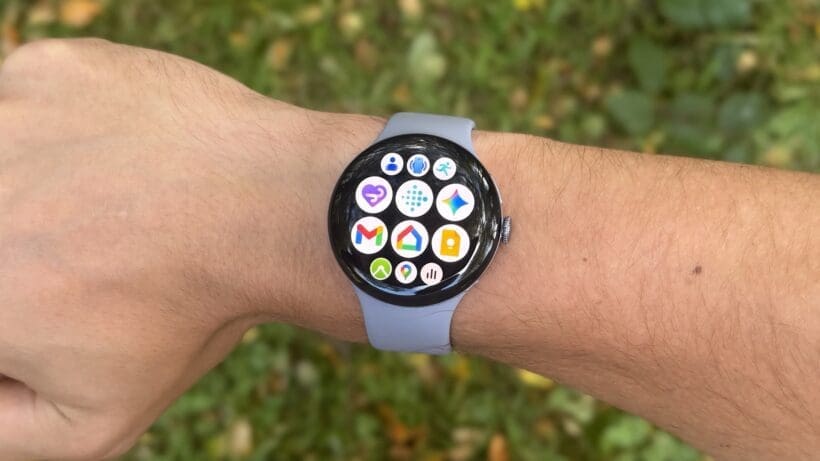
Beyond the new aesthetic, the core Wear OS experience remains a pillar of strength. The app support via the Play Store is robust, notifications are rich and actionable, and integrations with core Google services are seamless.
Google Wallet offers reliable contactless payments, and offline Google Maps provides turn-by-turn navigation without requiring your phone. Deeper ecosystem integrations, such as controlling Google Home devices or using the watch as a remote shutter for your Pixel phone’s camera, all work flawlessly. Unlike its main Android rival, Samsung, there are also no major exclusive features you miss out on if you don’t have a Google smartphone. That’s a big tick in its favor.
Fitness and sports tracking
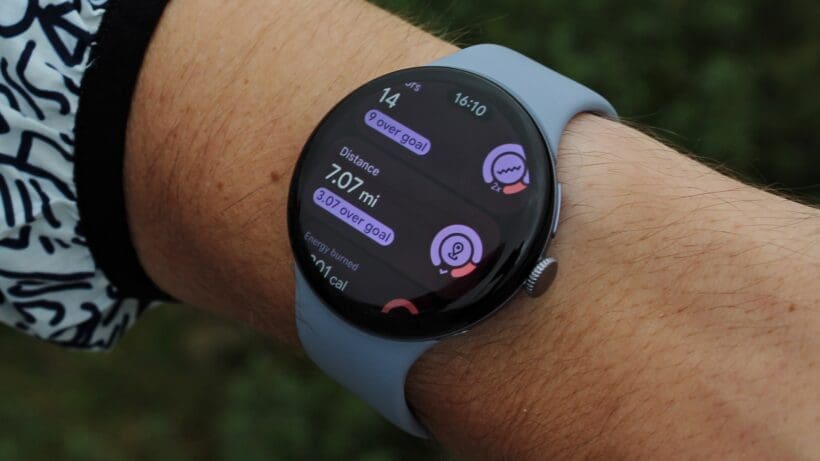
For three generations, we’ve noted that the Pixel Watch’s single-band GPS has been surprisingly good. However, with even the industry’s budget brands beginning to include dual-frequency support, not debuting it via the Pixel Watch 4 would have been a big miss. Thankfully, the brand has heeded the call and included dual-frequency (L5) GNSS.
As we always note, simply having the technology doesn’t guarantee top-tier performance, but Google’s implementation has appeared very solid during our testing.
While it previously punched above its weight with single-band GPS, the Pixel Watch’s tracking accuracy is now even more aligned with the performance we see from Garmin Multi-Band watches and Apple’s Ultra smartwatches.
Tested: Dual-band GNSS performance
Tracking four outdoor runs with the Pixel Watch 4, the final distance tracked was never more than 30 meters different from the Garmin Fenix 8 Pro (with the SatIQ setting enabled). When running at my usual base, endurance pace, that generally translated to the mile marker for the two watches beeping within 5-10 seconds of each other. That’s pretty good going.
The only trend I’ve spotted so far is a tendency to overreport compared to Garmin (even if by a very small amount). With only a handful of examples under my belt, it’s also hard to know when this happens, as the map on Fitbit (which uses Google Maps to plot, naturally) isn’t always that precise.
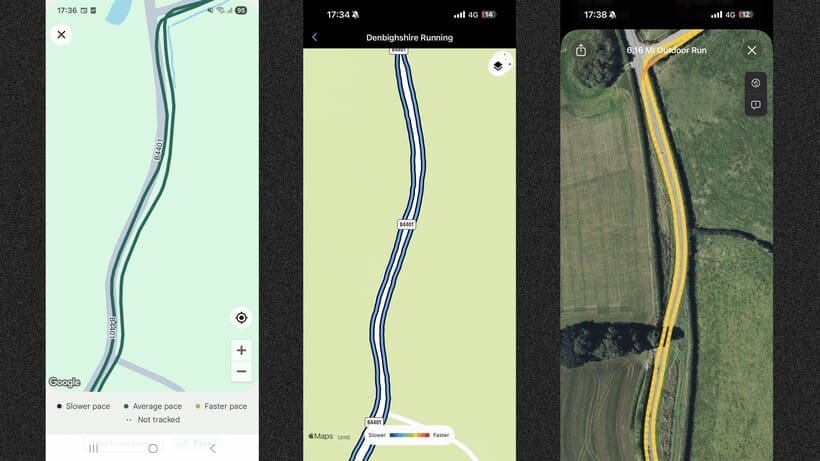
So, while the final distance figures in the example above were very close (6.26 miles tracked versus Garmin’s 6.24 miles and the Apple Watch Series 11’s 6.16 miles), it’ll take more time to discover if it’s matching Garmin on pure luck or truly reliable dual-band tech. My instinct is that it’s the latter, despite the post-workout mapping looking dodgy.
How we tested (and the long-term tests coming soon)
Ultimately, every brand has its tendencies in this area. Apple, for example, is often found to underreport compared to Garmin (and there are obviously no guarantees that Garmin is the most reliable GPS tracker on each run, either).
This meant that the time between mile marker notifications on the Pixel Watch 4 and the Apple Watch Series 11 (single-band GNSS) was then more like 15-20 seconds. Not a huge deal—and, again, there are generally always discrepancies here.
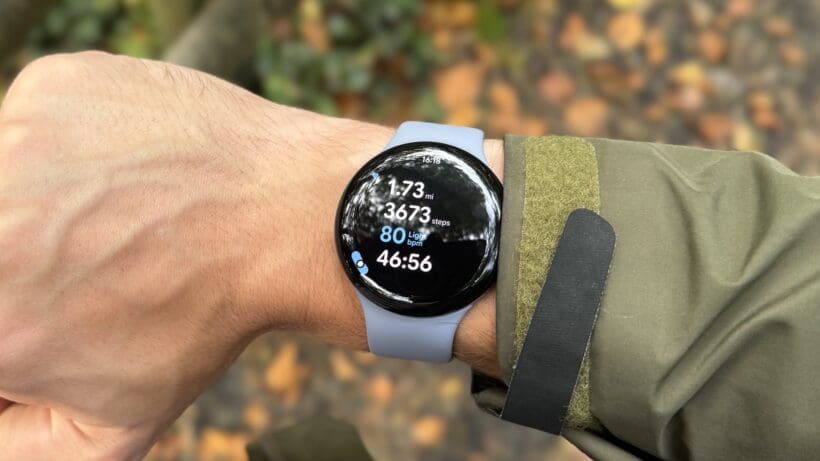
I should also note that these tests were conducted in the Welsh valleys. This can pose a challenge for GPS watches when I run close to a steep hillside or forested section, which the Pixel Watch 4 seemed to negotiate well. However, it’s still one I’m keen to test further in an upcoming city half-marathon, where dual-frequency is more essential (stay tuned for that later this month).
Fitbit features and heart rate performance
Of course, it would be remiss of us not to mention that the secret sauce of the Pixel Watch remains its exclusive Fitbit integration. As before, the watch tracks over 40 exercise modes and feeds all that data into Fitbit’s powerful and accessible platform.
This year, despite no new features being added, the experience feels just as friendly, and metrics like Cardio Load and Readiness Score are still great for contextualizing your activity.
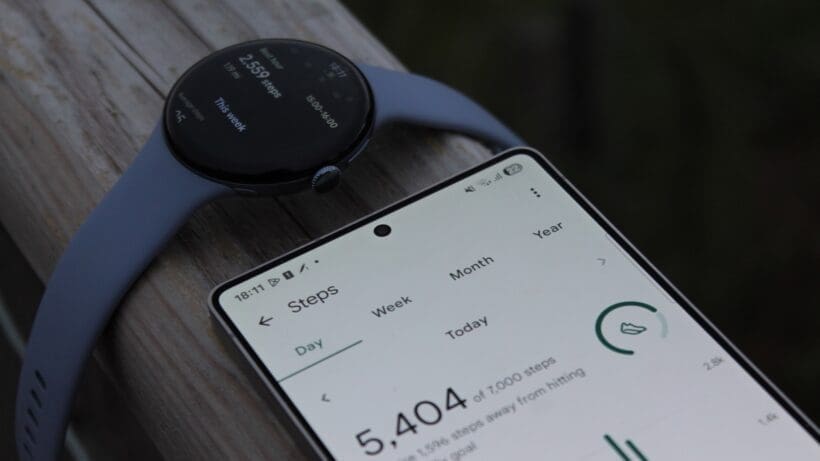
Heart rate performance in all our tracked sessions was also very close to that of our Garmin HRM 600 chest strap; always within 1-3 BPM in session and maximum HR averages, even if real-time figures showed the typical lag present in wrist-worn wearables.
While the need to use both the Pixel Watch and Fitbit apps can still feel slightly disjointed, the quality of the insights—particularly for beginner and intermediate users—is a compelling trade-off.
Health and safety features
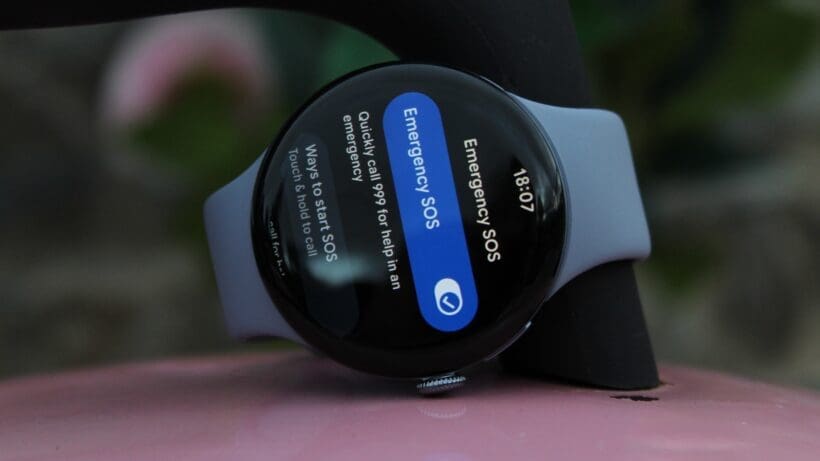
Google continues to build on its strong foundation of health and safety features. The headline addition for the Pixel Watch 4 is Emergency SOS via satellite. This feature enables users to connect with emergency services even when they have no cellular or Wi-Fi signal, and is similar to recent implementations launched by Garmin and Apple.
While this is a feature we thankfully haven’t had to test, its inclusion provides significant peace of mind for anyone who ventures off the beaten path. And, crucially, this potentially life-saving feature is included at no extra cost.
This joins an already robust suite of health and safety tools. The watch features an excellent multi-path optical heart rate sensor, an ECG app for AFib assessment, SpO2 monitoring, and a skin temperature sensor. The Health Metrics dashboard in the Fitbit app does a great job of tracking trends in your HRV, resting heart rate, and breathing rate.
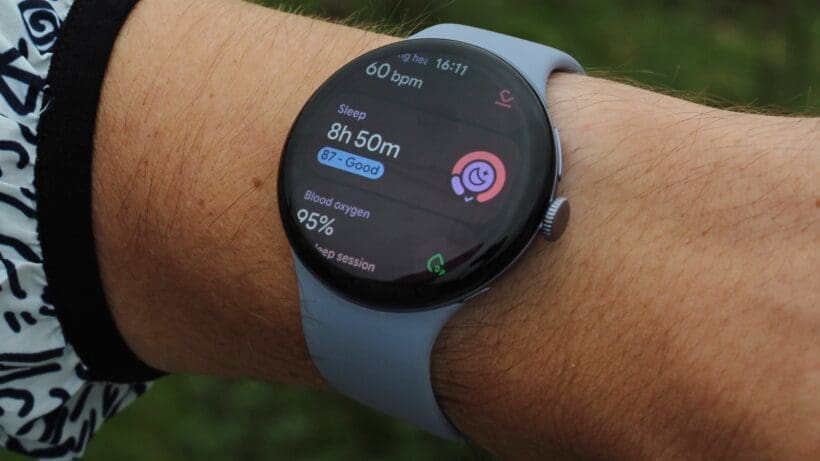
Sleep tracking remains a strong point, providing detailed analysis of your sleep stages and an overall Sleep Score. However, our long-standing criticism of Fitbit’s stress tracking also remains. The cEDA sensor logs body responses just as before, but the system still feels less intuitive and actionable than the stress monitoring offered by rivals like Oura and Whoop.
I appreciate that the Fitbit/Google teams are trying to do something different here. Yet, with no changes or improvements in this area for years now, and the rest of the industry firmly moving in another direction with stress tracking insights, it feels like a must-address issue for Google in the coming year.
Battery life and charging
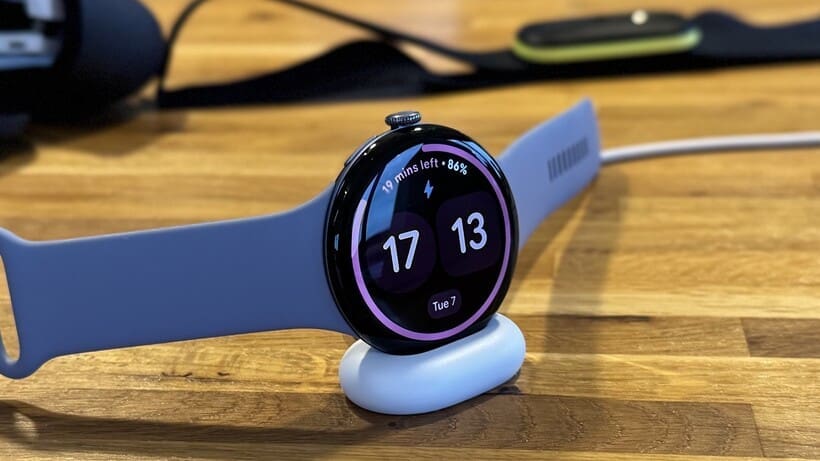
The Pixel Watch 4 features a completely revamped charging system, marking one of its most significant practical upgrades. Google has moved away from the magnetic puck to a new side-mounted Quick Charge Dock.
While the design, with its visible charging cut-out, may be an acquired taste, the functional benefits are undeniable. The new system is 25% faster, capable of taking the 45mm model from zero to 50% in just 15 minutes, and to 100% in about an hour.
These speeds were verified in our testing and represent a massive quality-of-life improvement. The ability to charge significantly in a short window makes managing the battery far less of a concern. When docked, the watch cleverly switches to a landscape mode, displaying the time and charging status.
Google’s battery estimates get a little more reliable
Google quotes a battery life of up to 40 hours for the 45mm model—a significant jump from the 24 hours available on the Pixel Watch 3. However, if you are a last-gen user who’s jealous of missing out on the huge on-paper upgrade, don’t be.
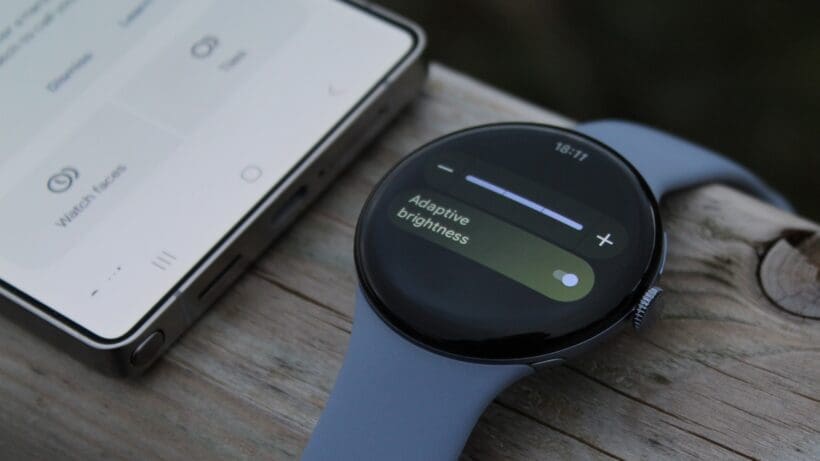
When we reviewed the 45mm Pixel Watch 3 last year, we found that (despite that 24-hour battery estimate) it delivered a genuine 48-hour battery life. And that was without the need for any power-saving modes.
While Google vastly underestimated last year’s staying power, it has come a little closer with this year’s quoted figures. In our real-world use, with the always-on display active, max brightness, sleep tracking, and daily GPS-tracked workouts, we found it was again able to comfortably last through two full days and nights.
It’s still a little disappointing not to see much (if any) gain in this area. However, I do also appreciate that there’s a bigger and brighter display to power here—and two days of relatively heavy use is still effectively industry-leading for a traditional smartwatch.
It’s not a multi-day device that endurance athletes are going to don, but, for most users, it has more than enough stamina, and the new charging speed makes top-ups painless.